FireSim AR: Designing the Experience Behind Immersive Fire-Safety Training.
CASE STUDY · 5 MIN READ
ROLE
Product Engineer
TIMELINE
12 months
TEAM
Product Engineer
2x Software Engineer
Project Manager
Skills
User Research
Product Design
Strategic Thinking
Challenge
Fire safety training is costly, inconsistent, and inaccessible.
Hands-on fire safety training is difficult for many people to access. Traditional sessions require physical space, consumable materials, and dedicated instructors. As a result, training is limited, expensive, and often not available to the general public.
Our goal was to design a tool that makes training more scalable and more effective without compromising safety.
Opportunity
Use mixed-reality to simulate high-risk environments safely.
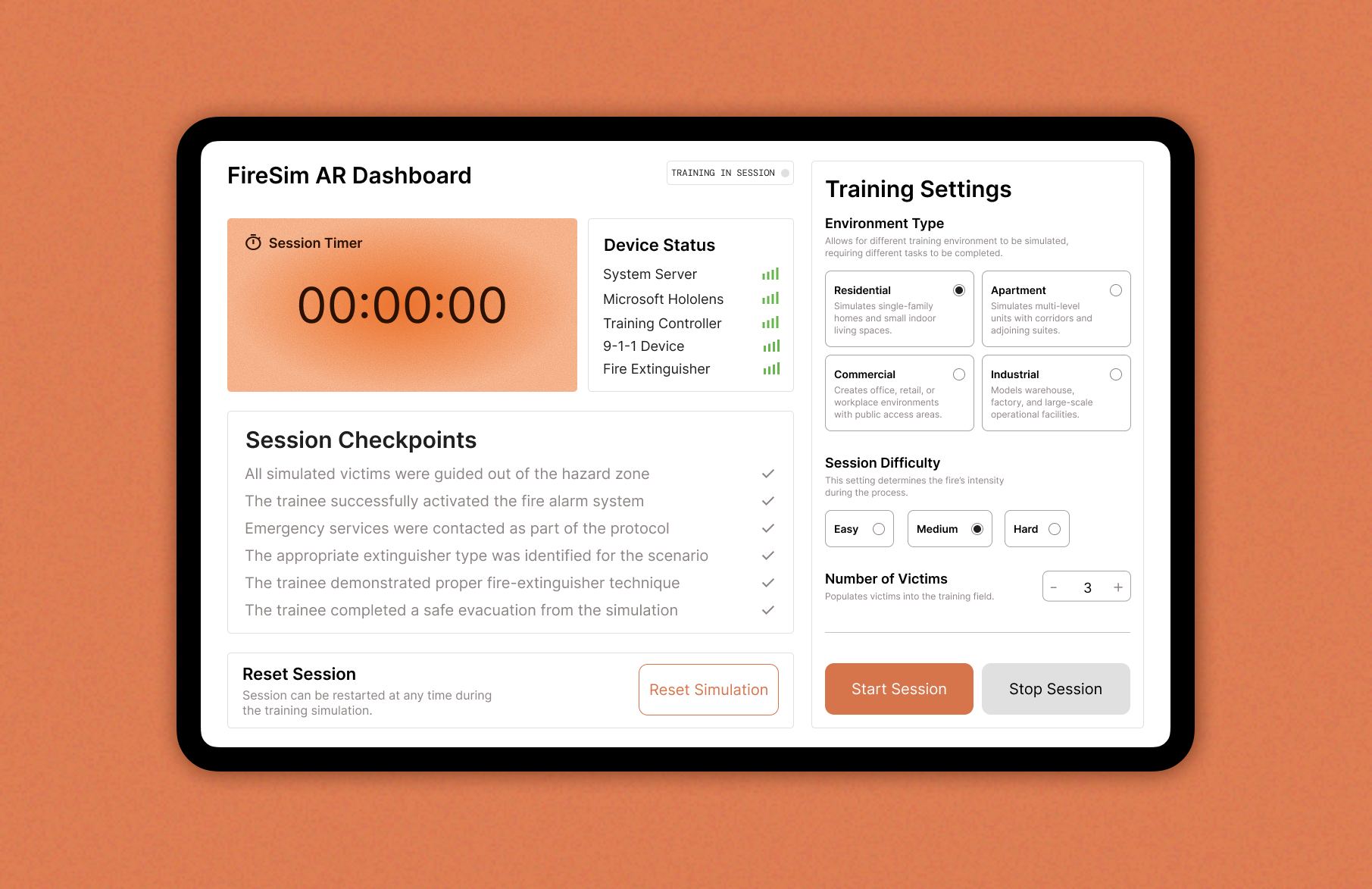
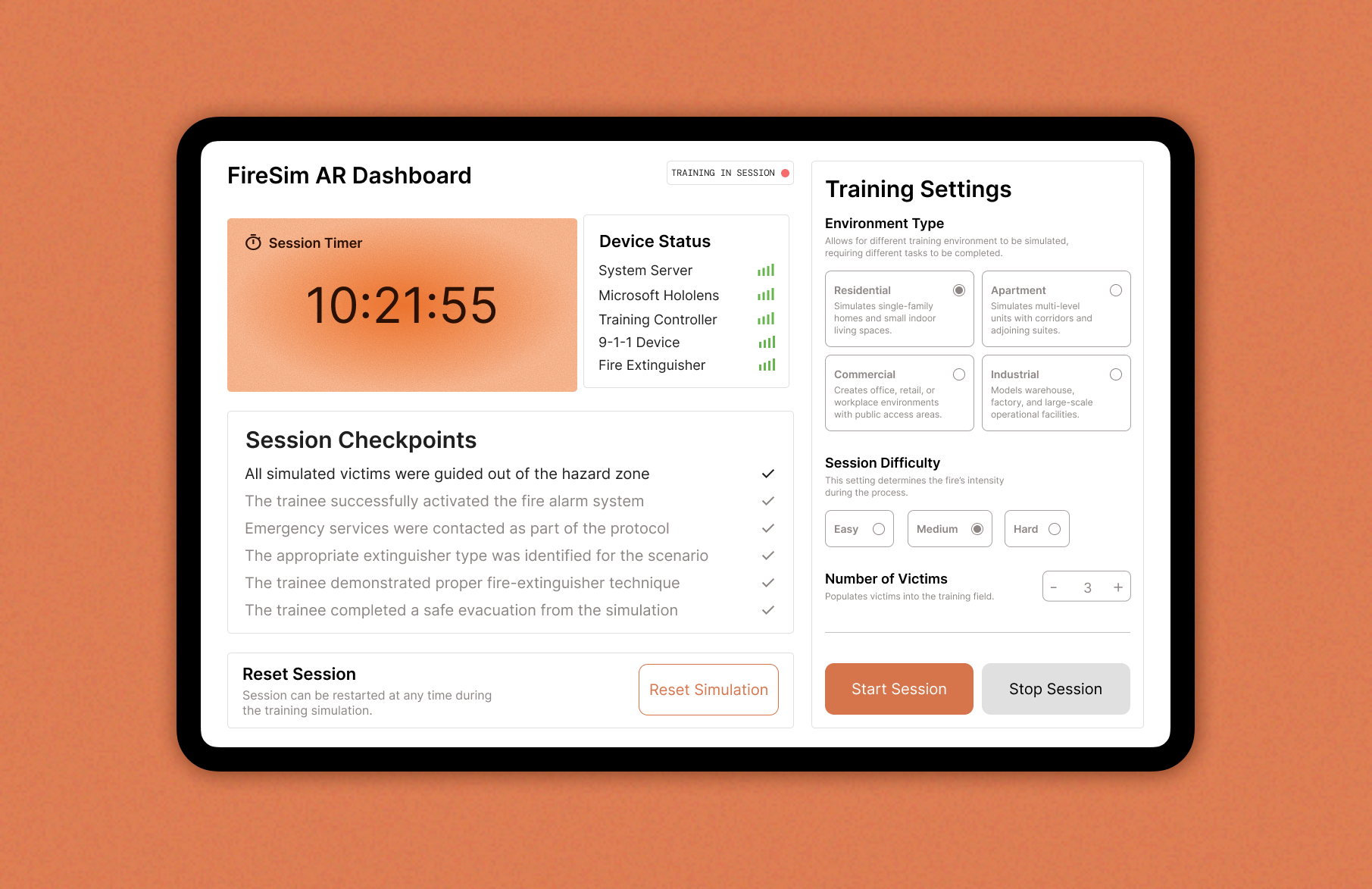
The project introduced a mixed-reality training system using the Microsoft HoloLens. My responsibility was to design and develop the primary control interface: an Android dashboard that allows trainers to set up, manage, and monitor fire-safety simulations in real time.
This dashboard became the “command center” for running the entire experience.
Impact
Enabled realistic fire training without burn buildings.
FireSim AR provides fire departments with a safe, scalable way to conduct emergency training using mixed reality. The platform eliminates the need for expensive, dangerous burn buildings while maintaining realistic simulation quality.
Recognized with 1st Place at Sheridan Capstone Showcase and IT World Impact Award for making professional-grade fire safety training accessible to departments of any size.
Understanding the Users
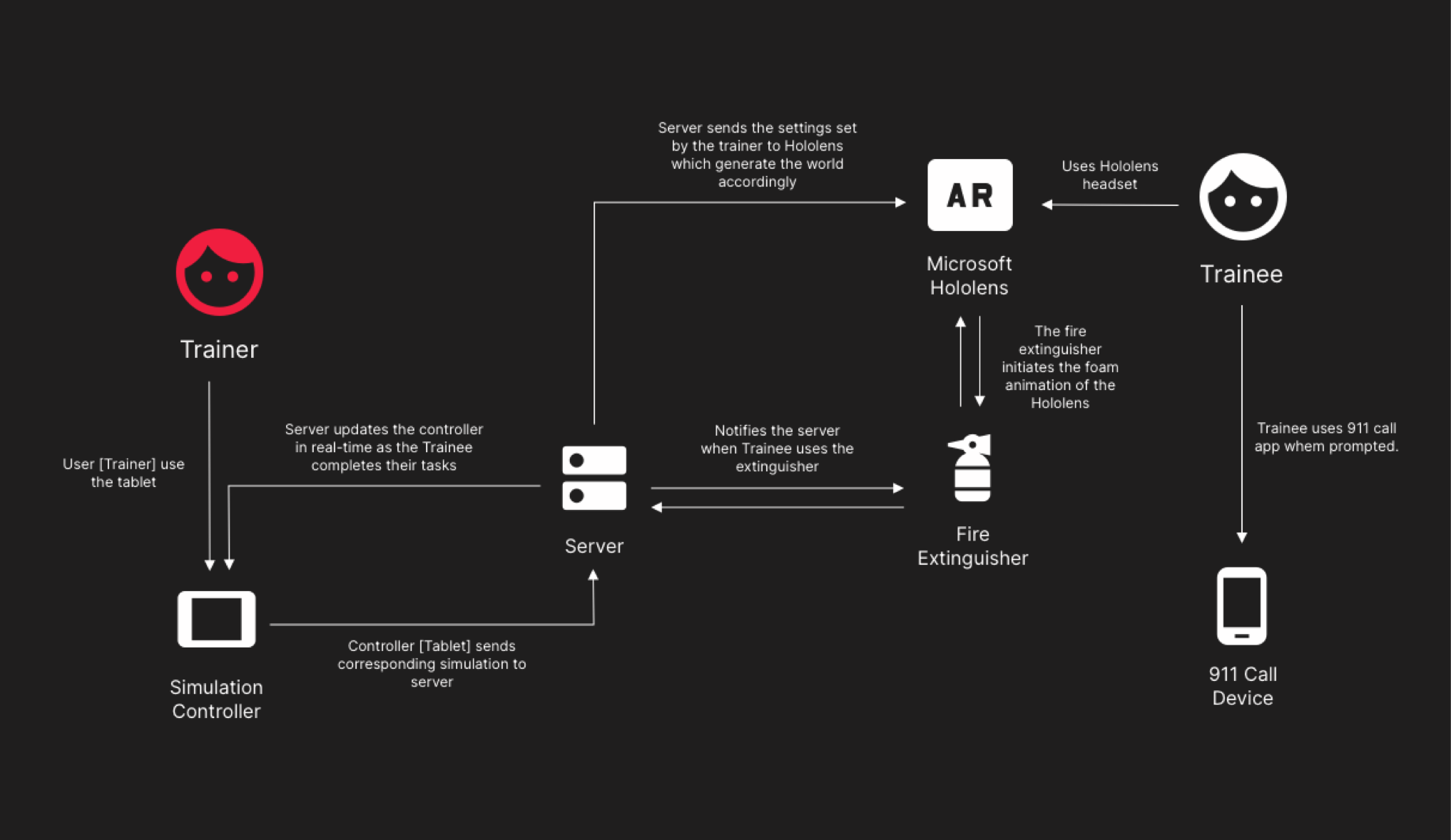
Two users, one shared training environment.
The platform brings together a trainer and a trainee inside the same simulated scenario, each playing a distinct role. Trainers oversee the session, adjust conditions, and monitor progress, while trainees navigate the experience through mixed-reality tools. The system breakdown below illustrates how both sides interact to create a coordinated, real-time simulation.
Designing the Interface
Clarity for trainers in high-stakes scenarios.
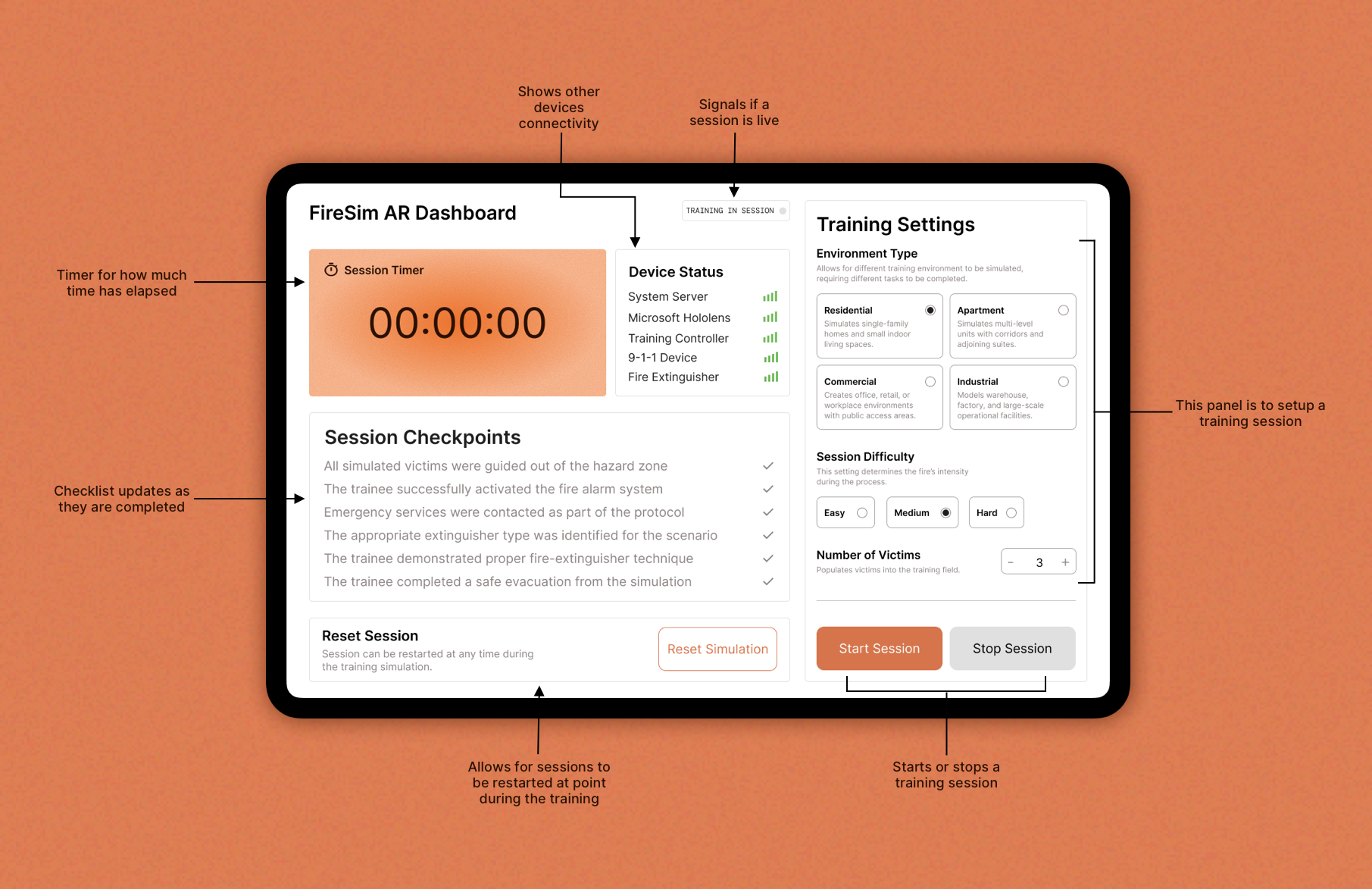
My focus was creating a tablet dashboard that allows trainers to:
- Configure environments and difficulty
- Monitor trainee progress in real time
- Trigger key simulation events
- Evaluate trainee performance
- Restart or reset sessions instantly
These decisions made the dashboard more intuitive and reliable during high-pressure scenarios. With the dashboard controlling the real-time simulation, trainers also needed a clear way to evaluate performance once the session concludes.
Reporting the Session
A clear record of performance and outcomes.
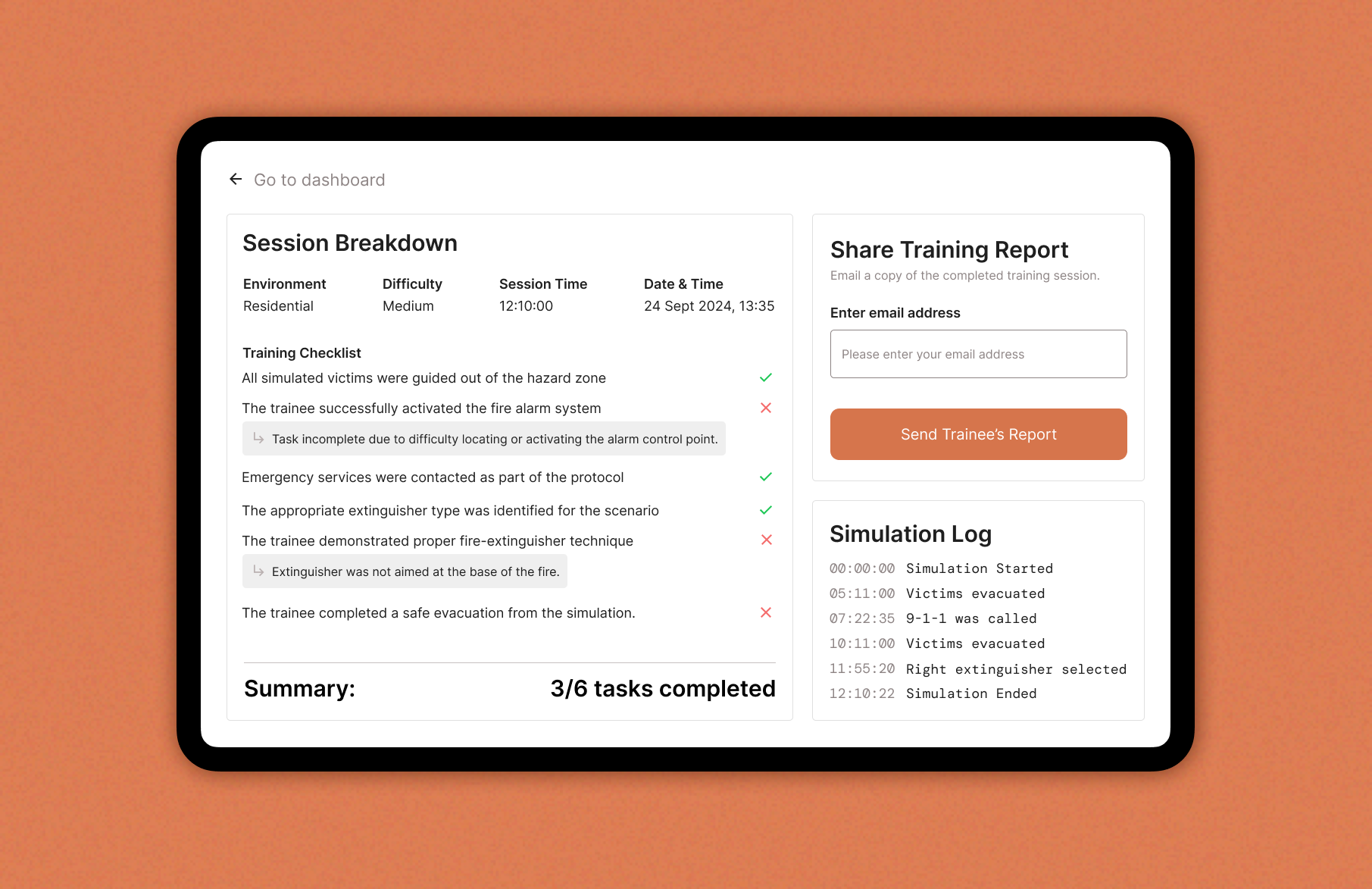
The report screen presents:
- Completed and missed tasks
- Timestamped simulation log
- Notes explaining why certain actions were not completed
- A simple way to export or email the trainee’s report
Designed to support trainers in debriefing and documentation.
REFLECTION
What I learned
Delivering a functional, scalable training platform.
Our team delivered a fully working mixed-reality training system within tight constraints spanning UX, hardware integration, and real-time communication across devices.
Bridging hardware, software, and product design.
This project strengthened my ability to design for complex systems, simplify multi-device workflows, and collaborate across engineering and research teams. It also deepened my understanding of building intuitive interfaces for technical, high-stakes use cases.